
Features
Nine features. Each one shown, not described.
Screens are from the demo film: the app’s own labels, buttons and statuses, on a fictional plant. Every company, person, product and figure in them is invented.
01
Stage-wise WIP dashboard
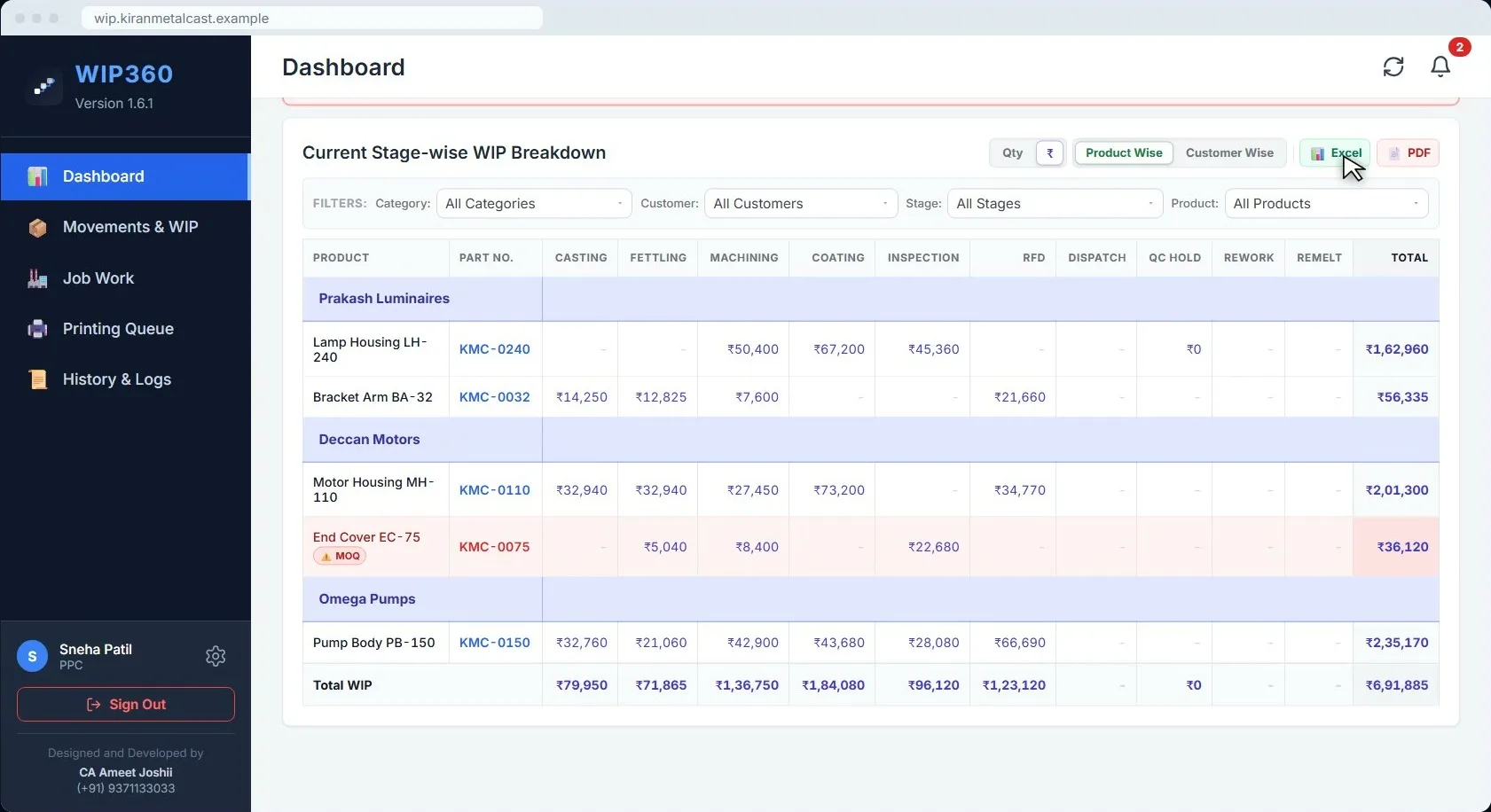
Every product at every stage, in quantity or rupees, with Excel and PDF export.
One table holds every product at every stage, grouped by customer or by product, with filters for category, customer, stage and product. Switch the same table between quantities and rupees.
Cards above it show total active WIP, products below minimum stock, items on QC hold and the indicative inventory value. A product below its minimum stock is flagged in a banner before production stalls. Export the table as it stands to Excel (CSV) or PDF.
02
Approval-controlled movements
A maker and a checker on every transfer, QC pull, consumption and dispatch.
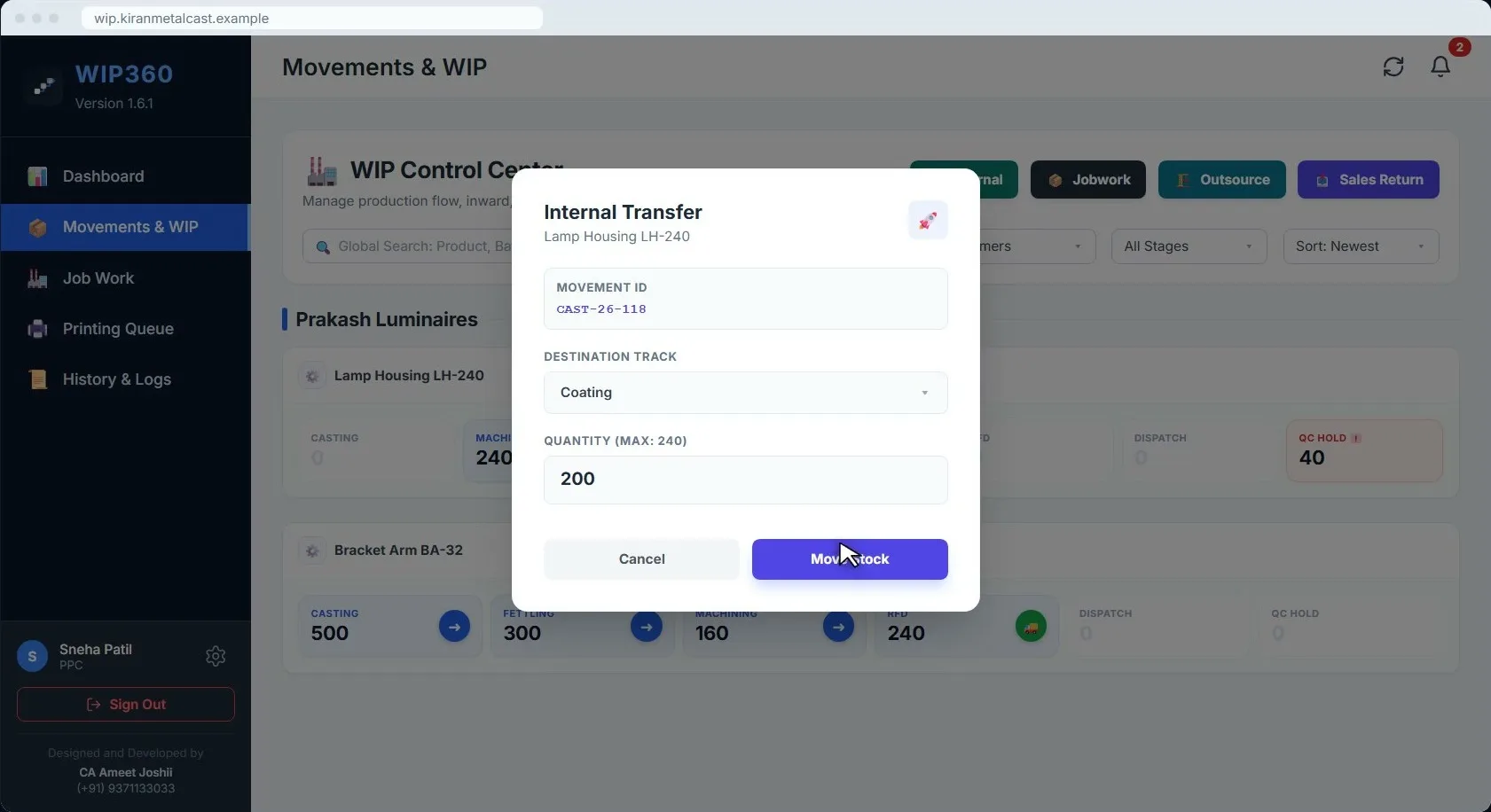
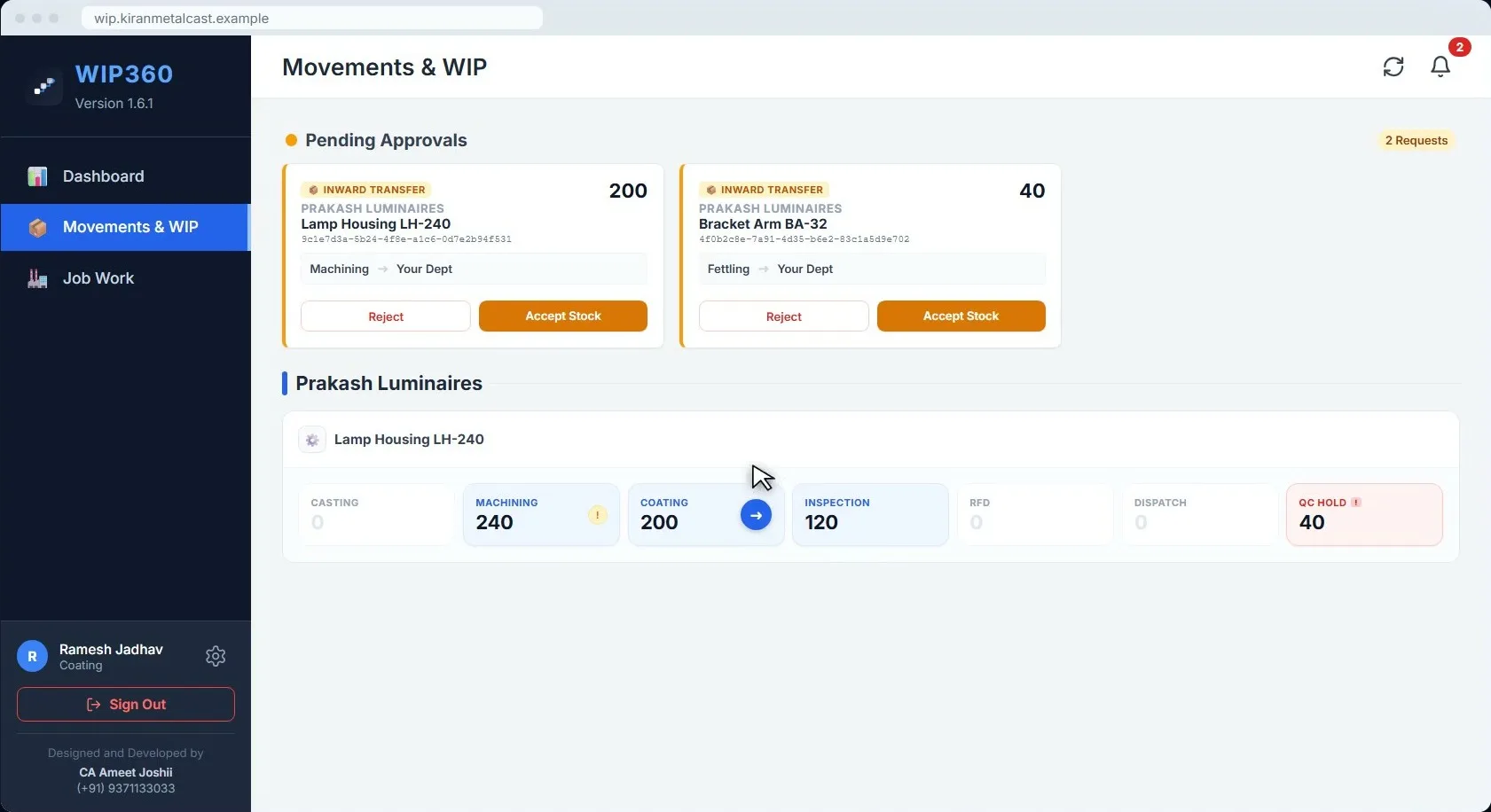
PPC raises every movement: stage-to-stage transfers, pulls to QC hold, consumption and dispatch. The department on the other side approves it: the receiving department for a transfer, the source department for a QC pull, Alloys for consumption, Dispatch for dispatch. PPC cannot approve its own request.
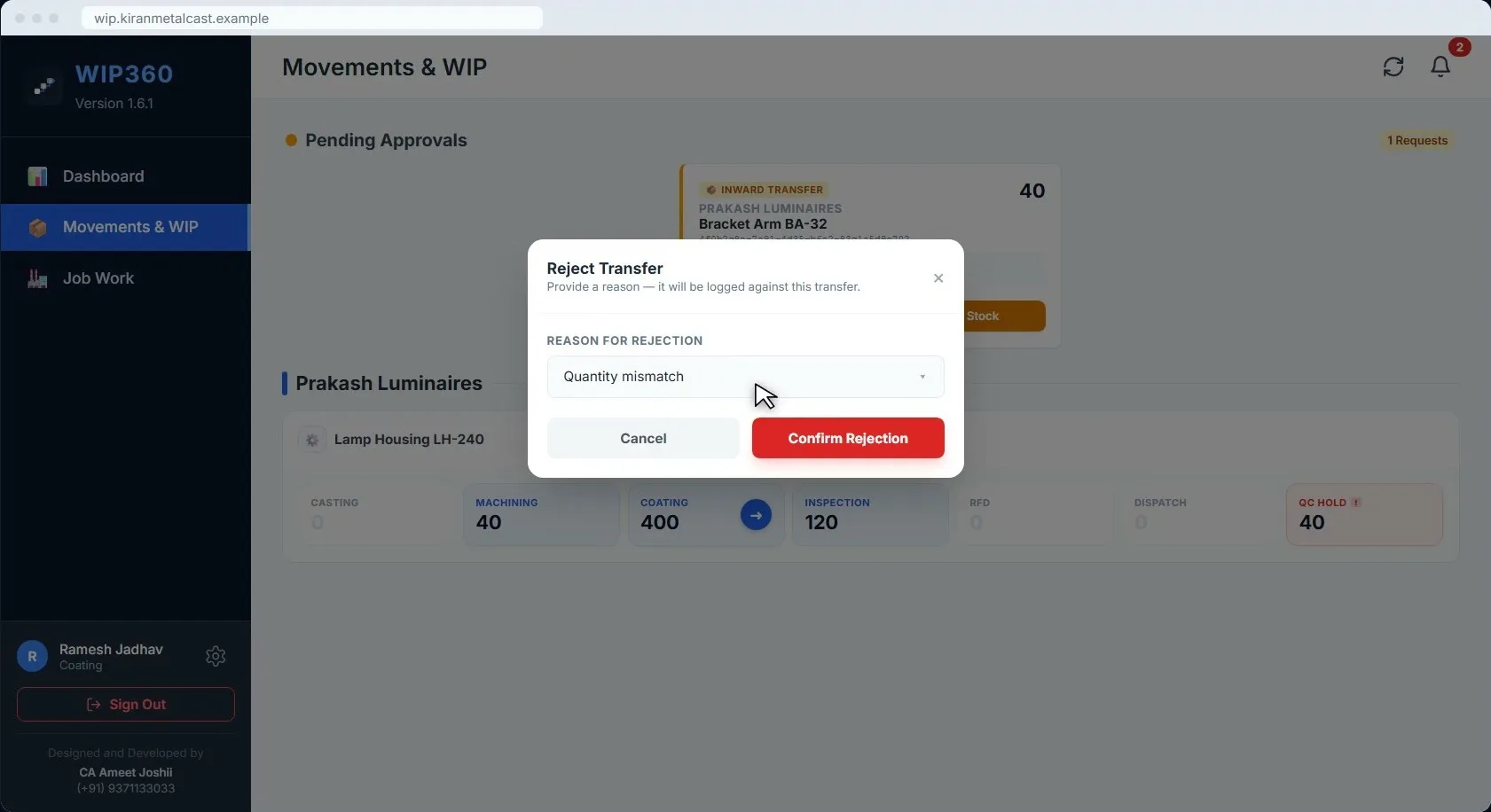
A rejection needs a reason. A request the stage cannot cover is refused when it is raised, and on approval the database takes the oldest batches first.
03
Job work and sales returns
Challans out to vendors, partial returns back, and what is still pending.
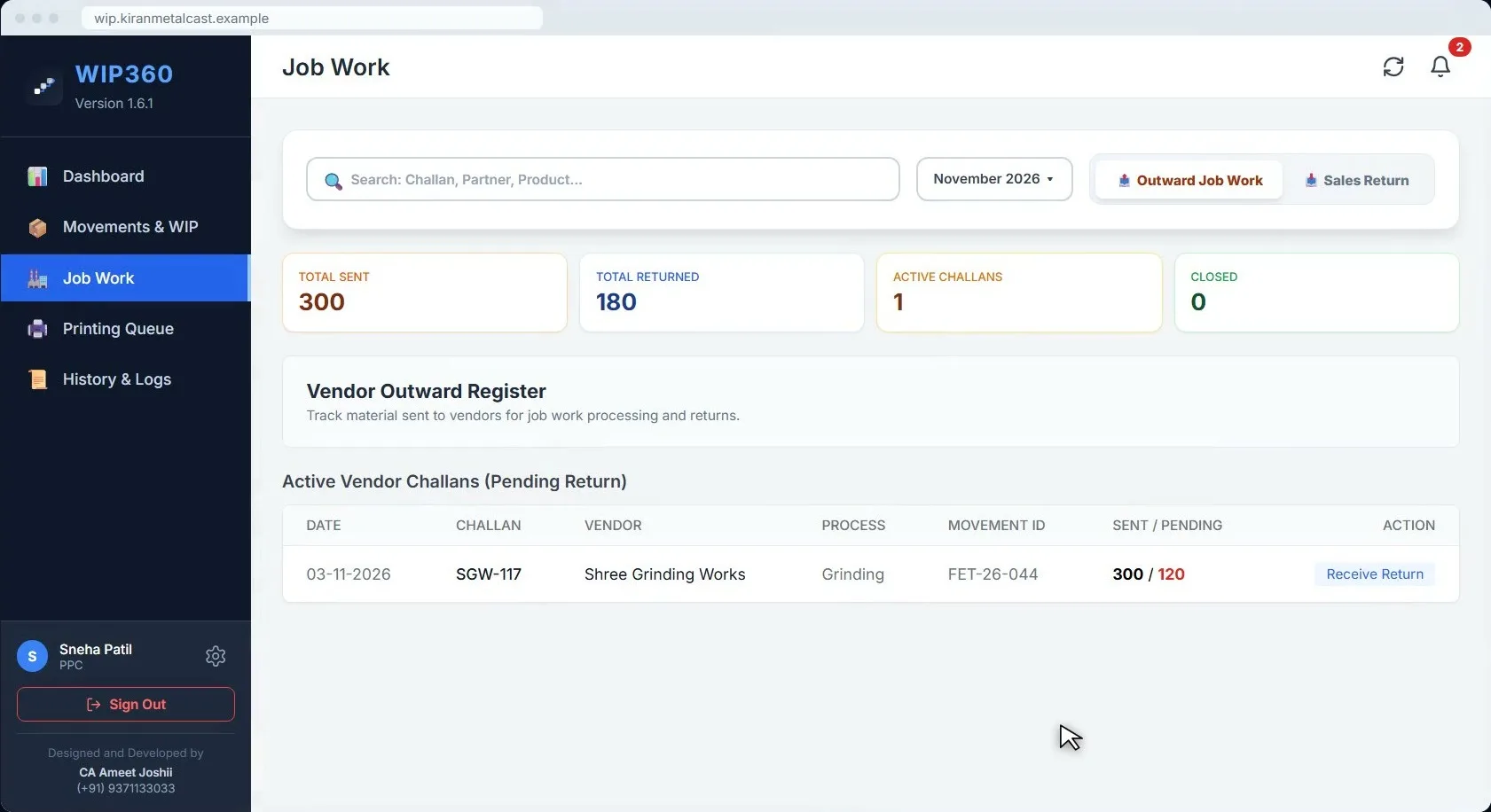
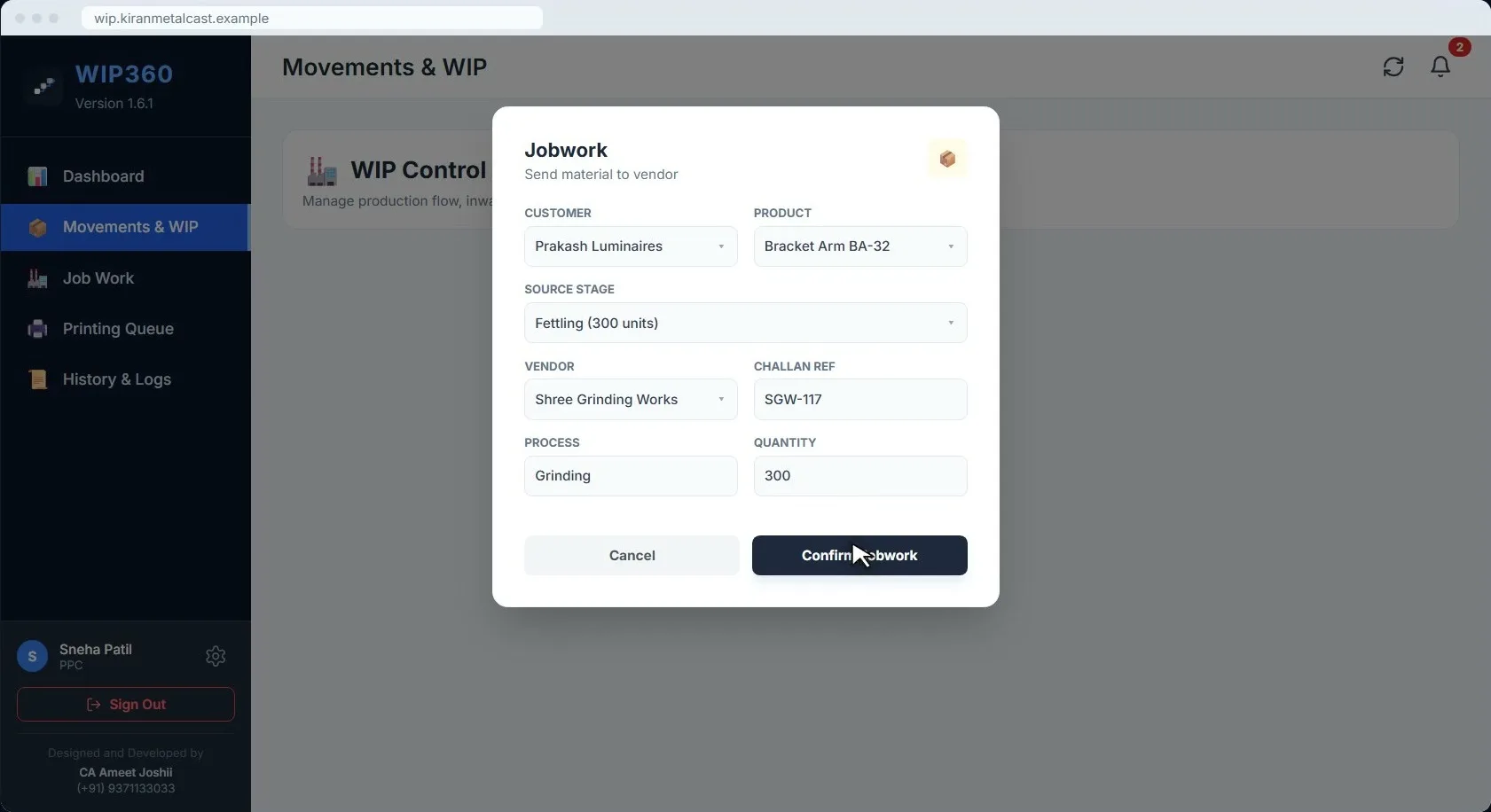
Material sent for outside processing goes out on a challan, naming the vendor, the process and the quantity. It comes back in full or in part, to the stage you choose, and the register shows what is still out, by challan and by vendor.
Sales returns are recorded in the same place, with monthly filtering across both.
04
Quality control
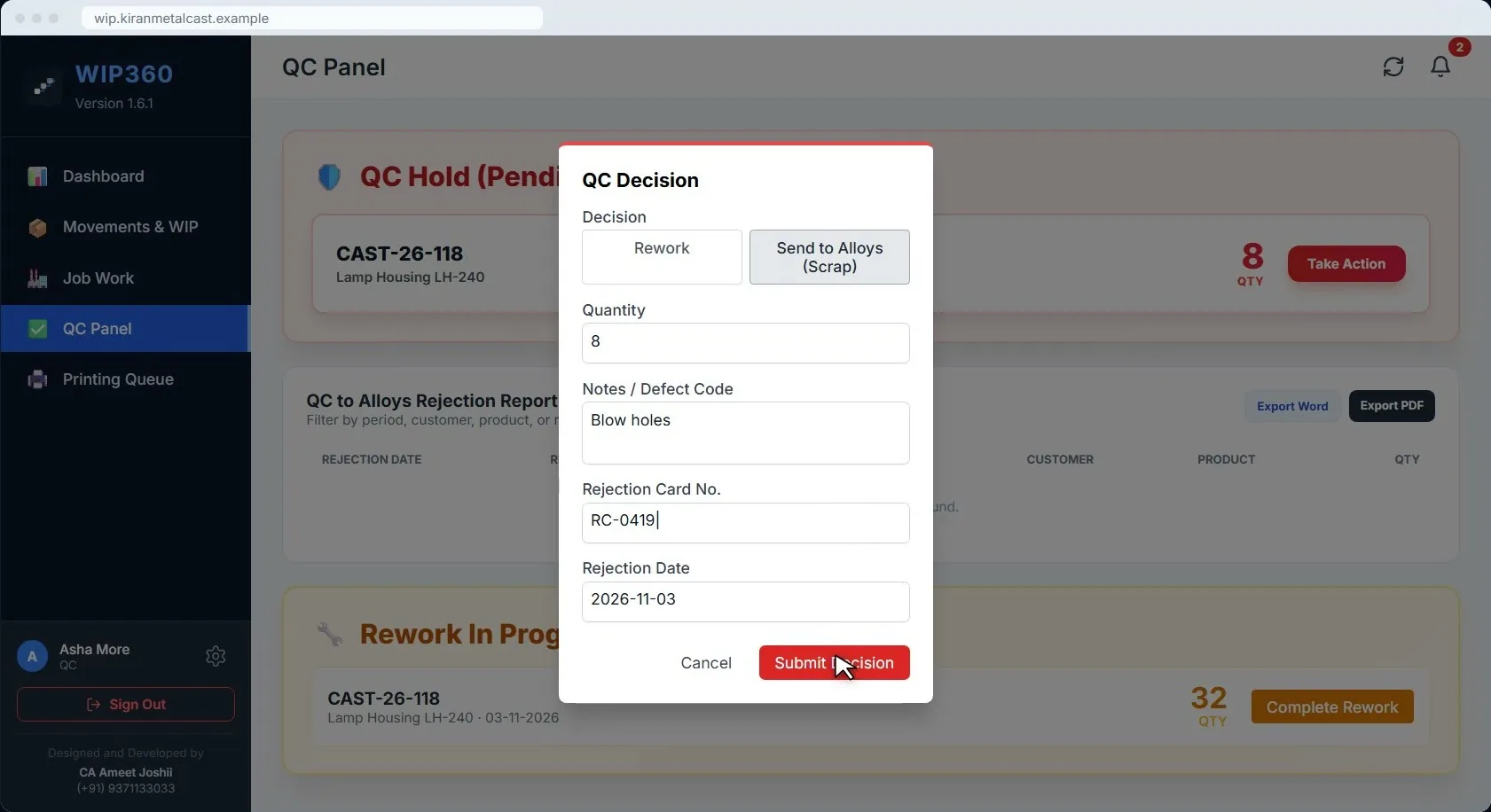
QC hold decisions: rework or scrap, with the defect and a rejection card.
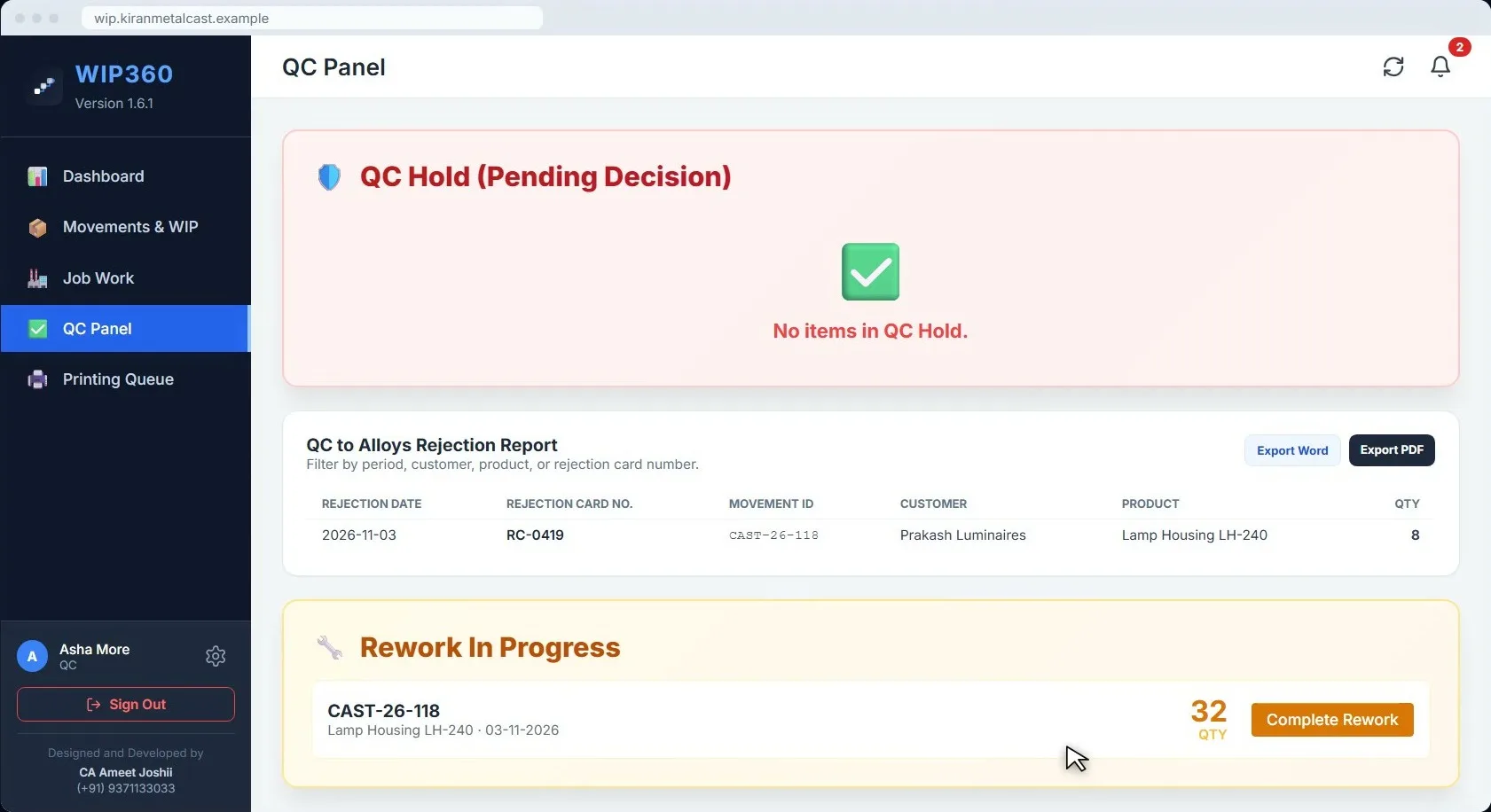
Material on QC hold waits for a decision. QC sends part to rework and part to scrap, with the defect and the rejection card number. Reworked pieces return to the line at the stage you choose.
The rejection report lists every card with its date, batch, customer, product and quantity, and exports to PDF or Word.
05
Finance and valuation
Sale prices by product and customer, a valuation % per stage, and exports.
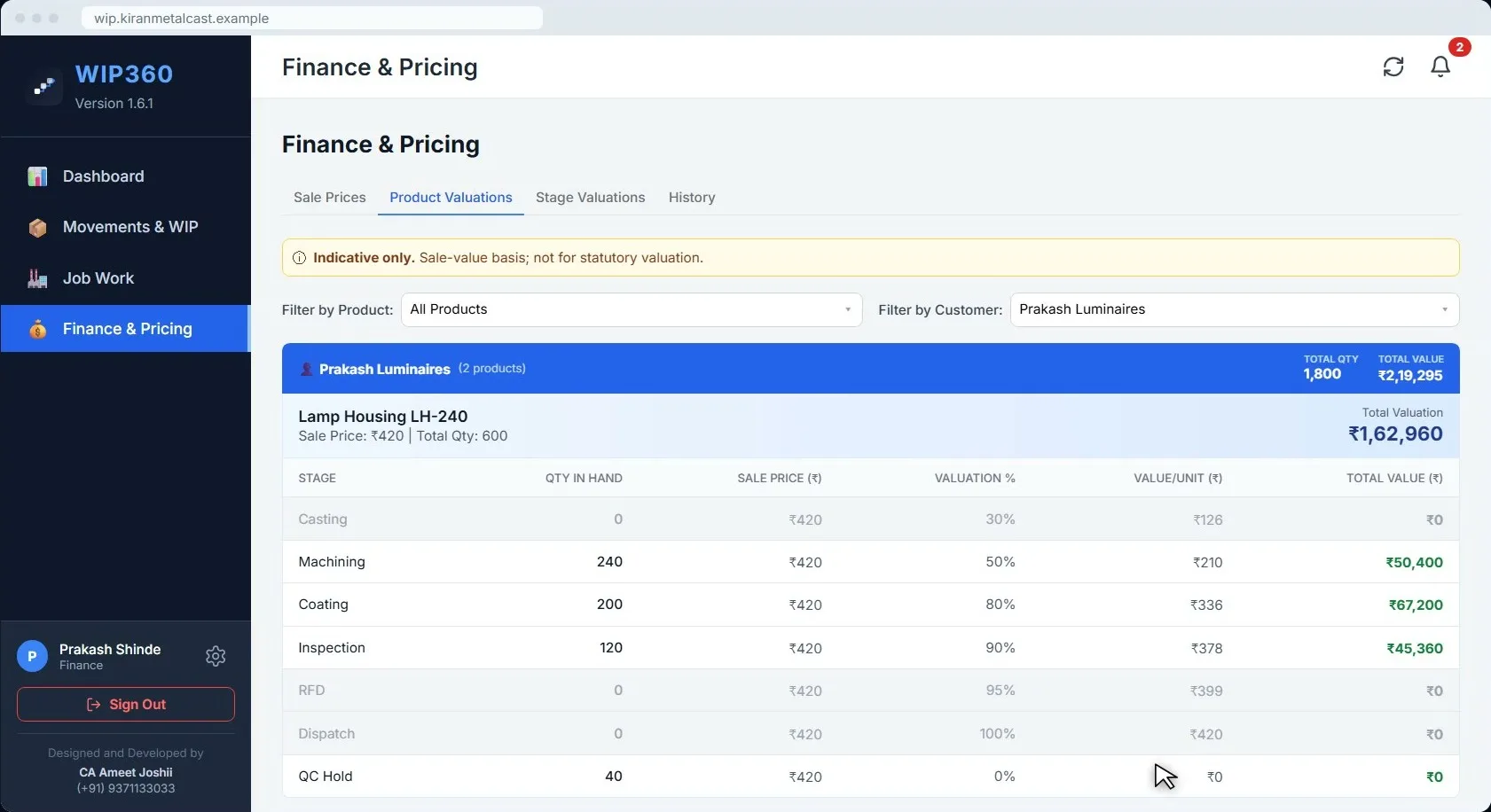
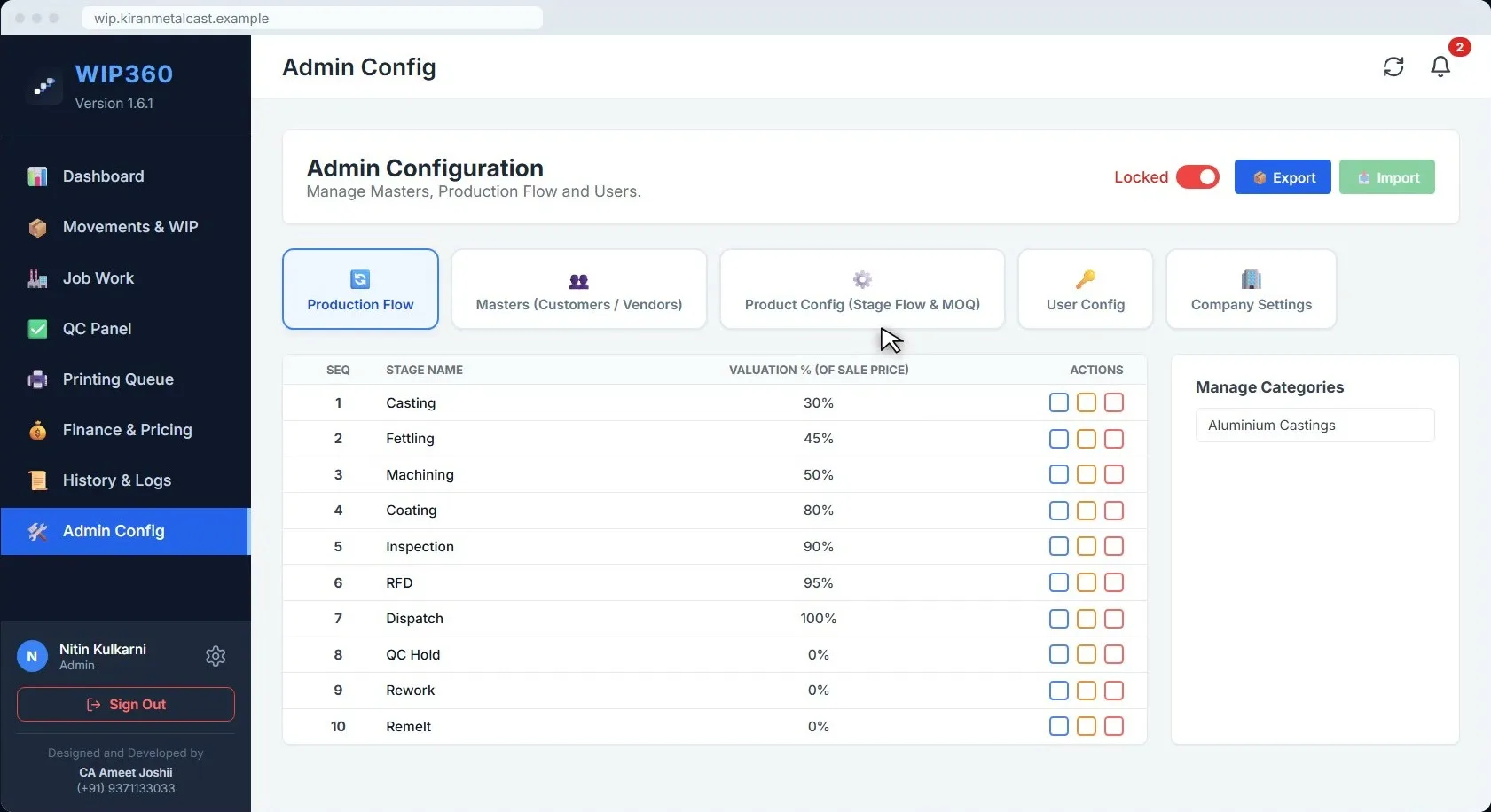
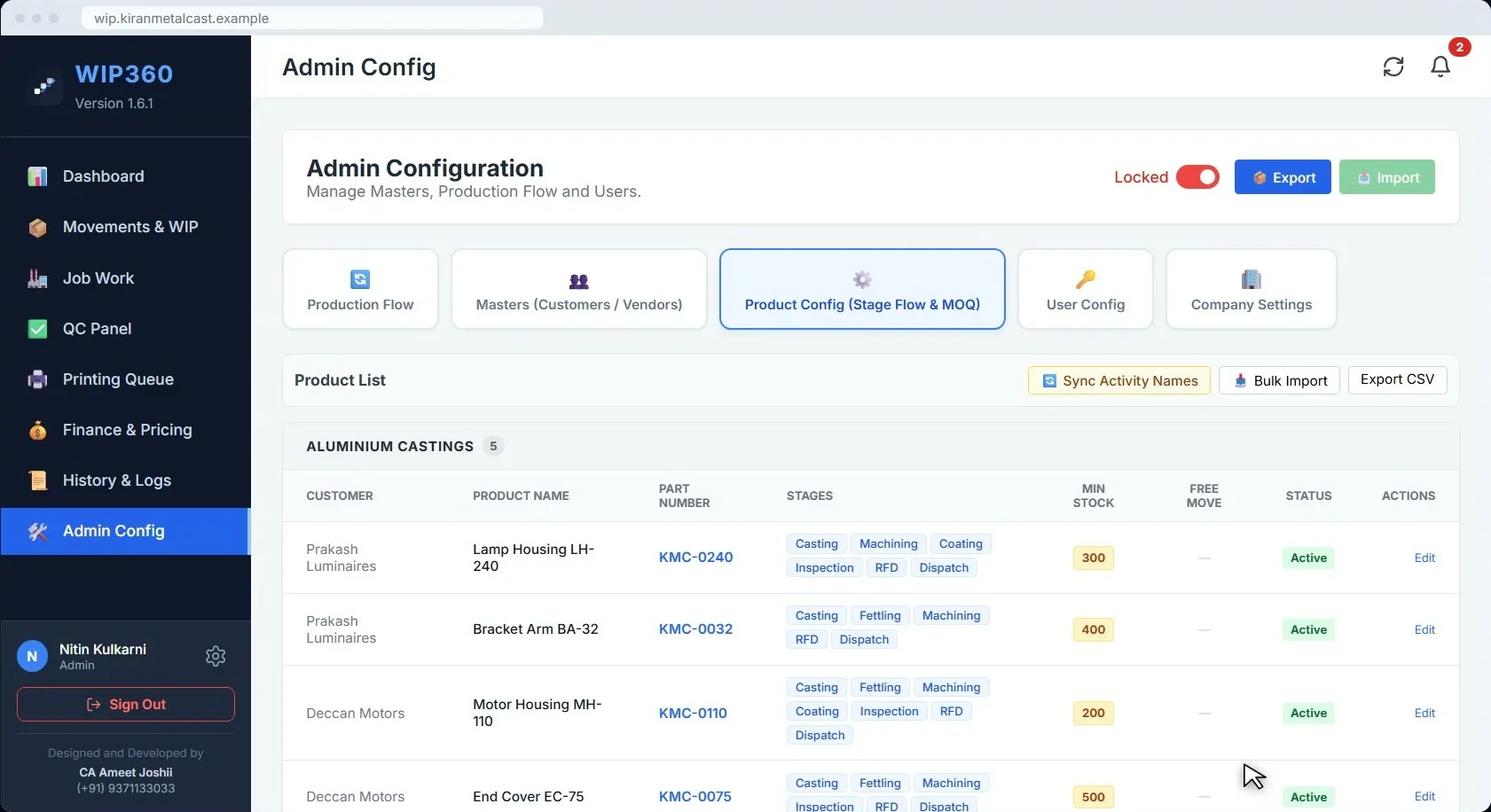
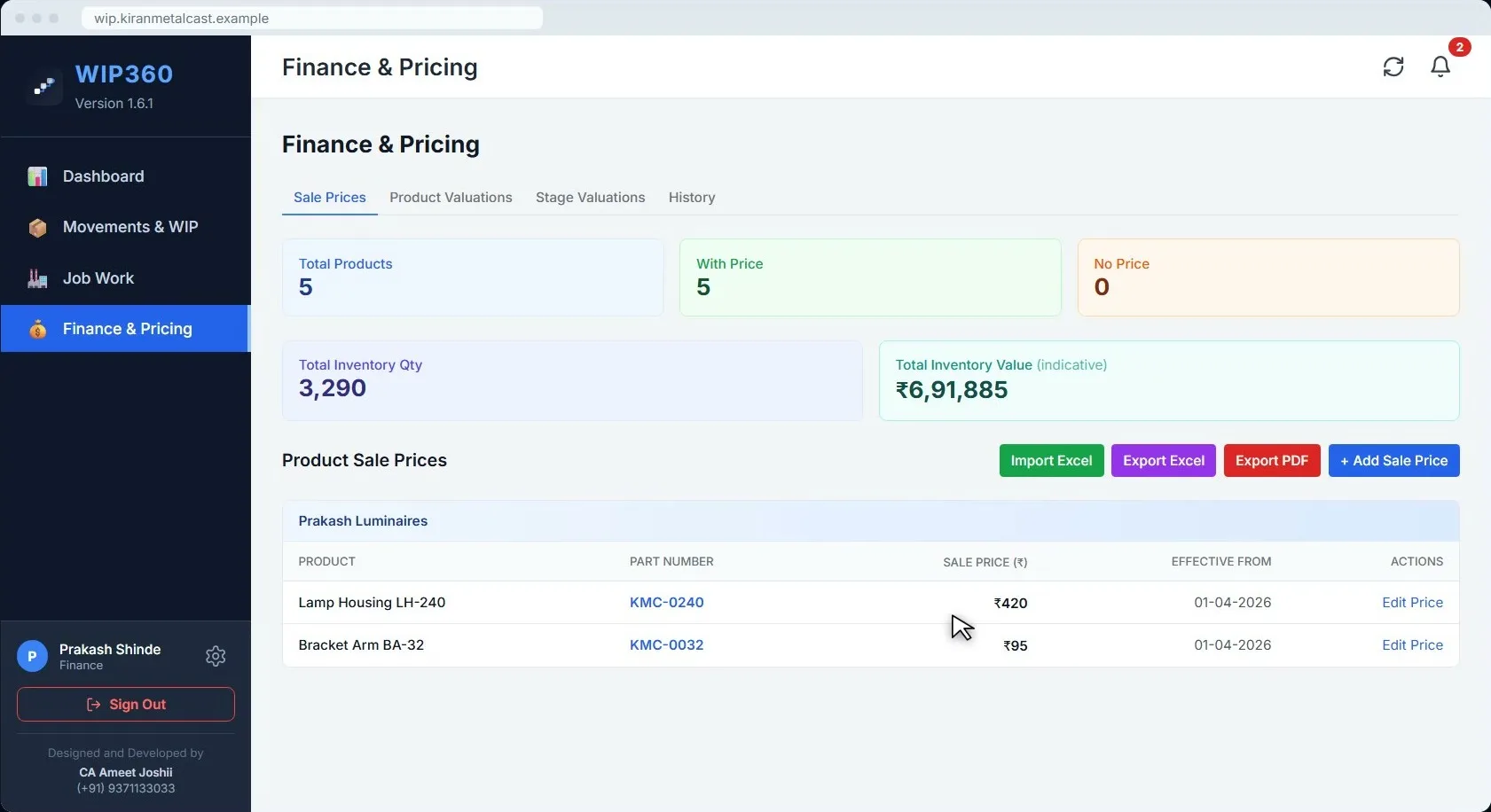
Finance keeps the sale price of each product for each customer, with its history. Every stage carries a valuation percentage of the sale price, set once in Admin.
Product and stage valuations follow from the stage quantities. The value is indicative, on a sale-value basis, not a statutory valuation. Export to Excel or PDF.
06
Complete audit trail
Who did what to a batch, when, and how many pieces.
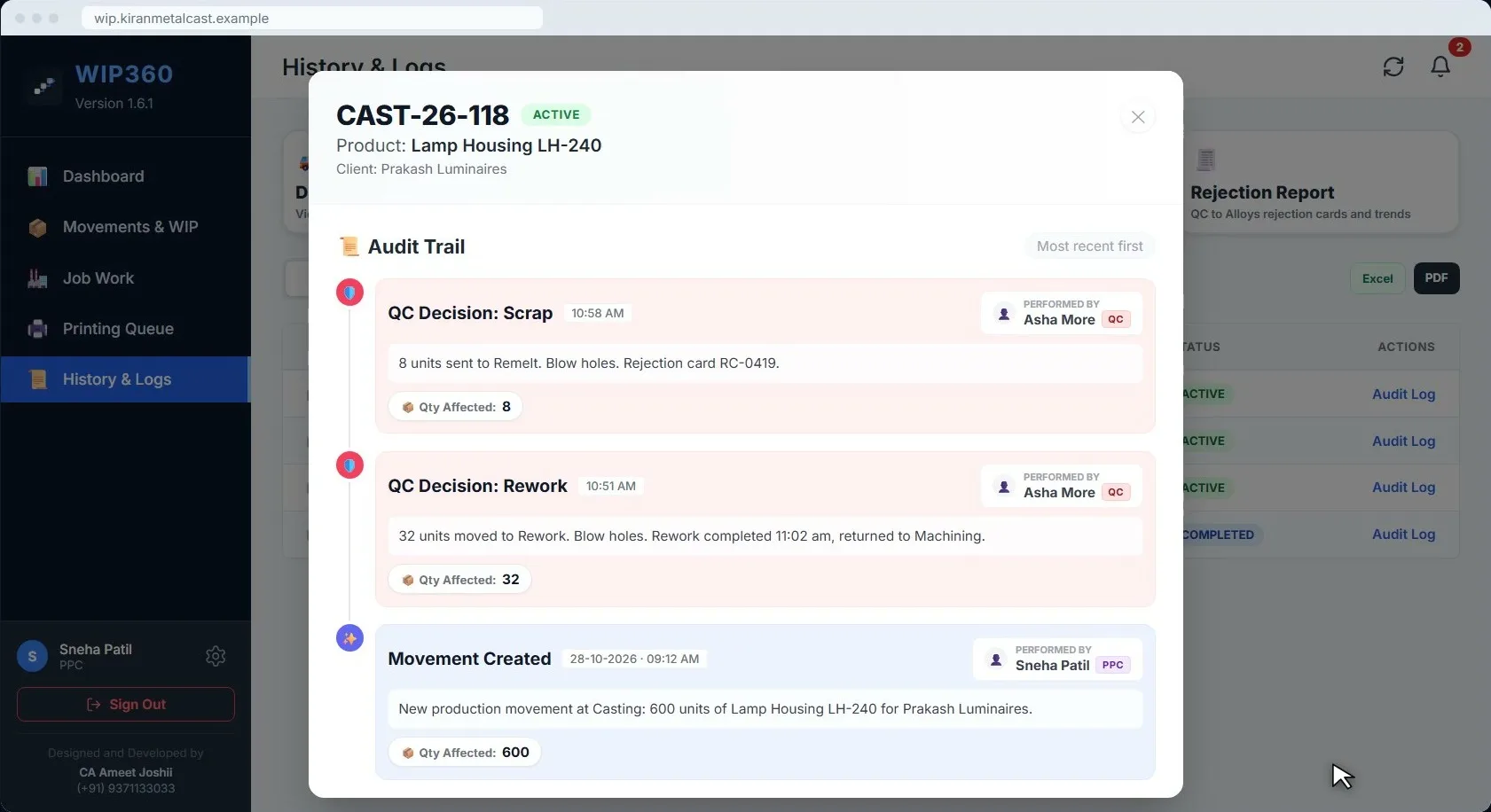
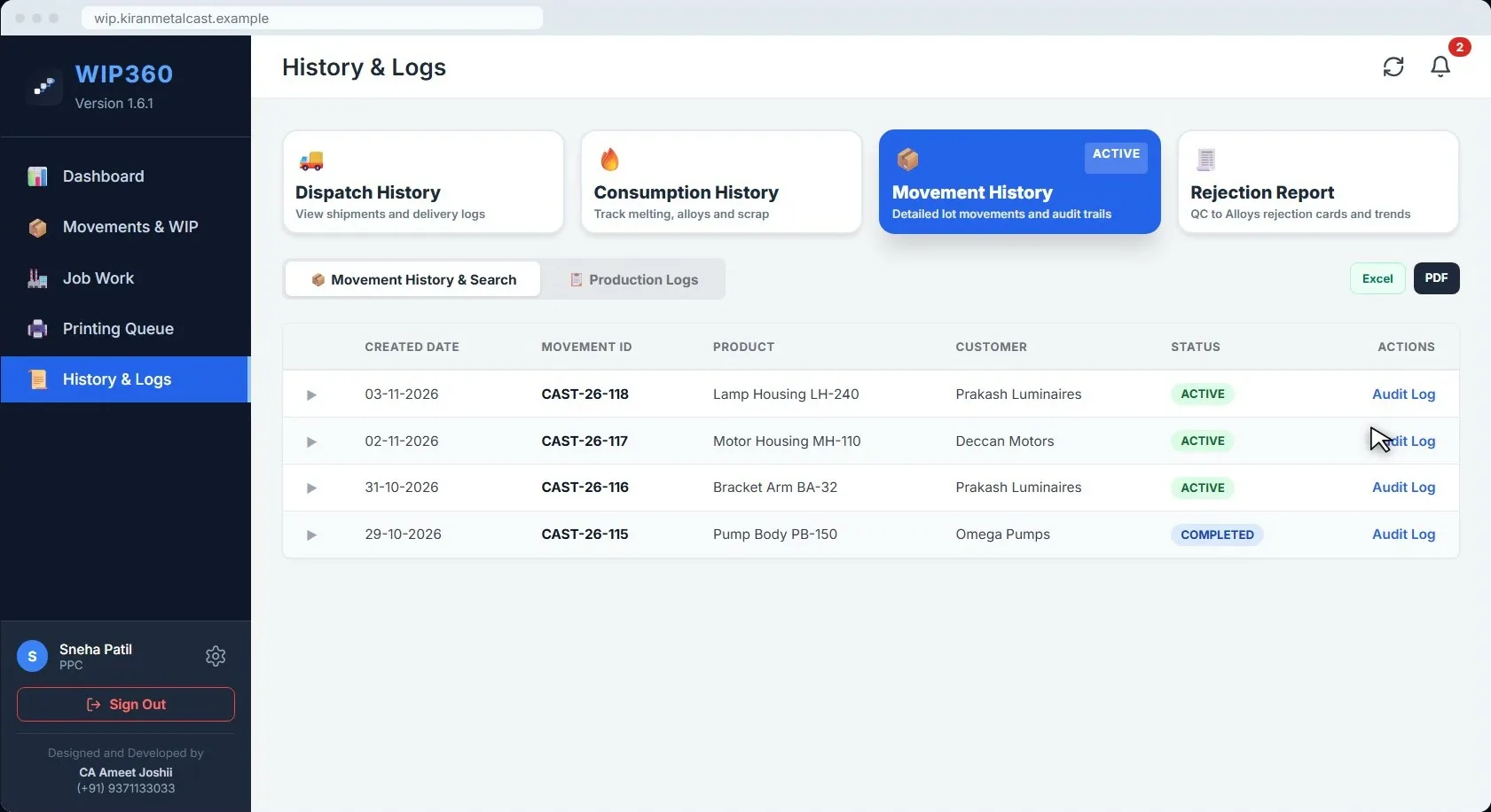
History and Logs keeps movement, dispatch and consumption history and the rejection report. Each batch opens its own audit trail, most recent first.
Every logged action shows who performed it, their role, the time and the quantity affected: the batch’s creation, each QC decision and each rework.
07
Role-based access
Seven roles, from Admin to Viewer, set by the user’s department.
Each user’s department sets their role. A production department sees its own stage and approves what arrives there; Management and Viewer can look but not act; only Admin changes stages, masters and users, behind an Editable lock.
Who may change what is enforced in the database, not only on screen.
- AdminConfiguration, users, masters, finance and every operation
- ManagementSees every panel; cannot raise or approve a movement
- FinancePrices, valuation reports and exports
- PPCCreates batches and raises movements; cannot approve them
- QCApproves pulls to QC hold; rework and scrap decisions
- ProductionSees its own stage; approves what arrives there
- ViewerRead-only dashboard and history
08
One app, every device
Cloud-based: Android, iOS, tablet or desktop, installable as an app.
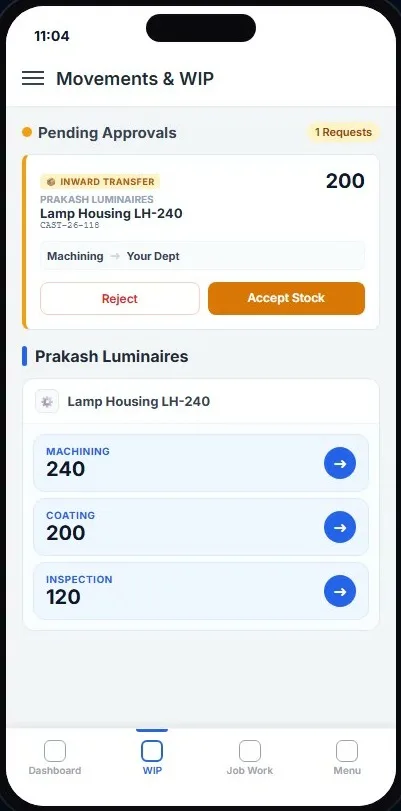
WIP360 runs in the cloud, so it opens anywhere: a phone on the shop floor, a tablet at the stage, a desktop in the office. It installs as an app, and on a phone it has a bottom bar for Dashboard, WIP and Job Work.
The supervisor accepts stock where it lands. It needs a connection: movements are recorded online, not offline.
09
Printing
Bin labels from a print queue, with bulk printing and reprint history.
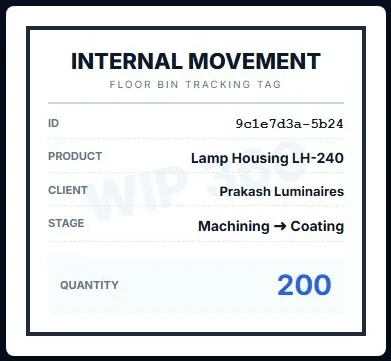
Movements wait in a label queue as floor bin tracking tags: the product and its part number, the customer, the stage move and the quantity. Labels print four to an A4 sheet.
Print several movements at once, preview before printing, and reprint from history.
And the rest of the floor
Your stages, your percentages
Each product’s own flow
A rejection needs a reason
Out on a challan
Scrap, with the card
Every batch on record
Accepted where it arrives
Sale prices by customer
Next step
See it on your own production flow
Tell us your stages, your products and how material moves today, and we will show you WIP360 doing that.